 CamJam
Comparison
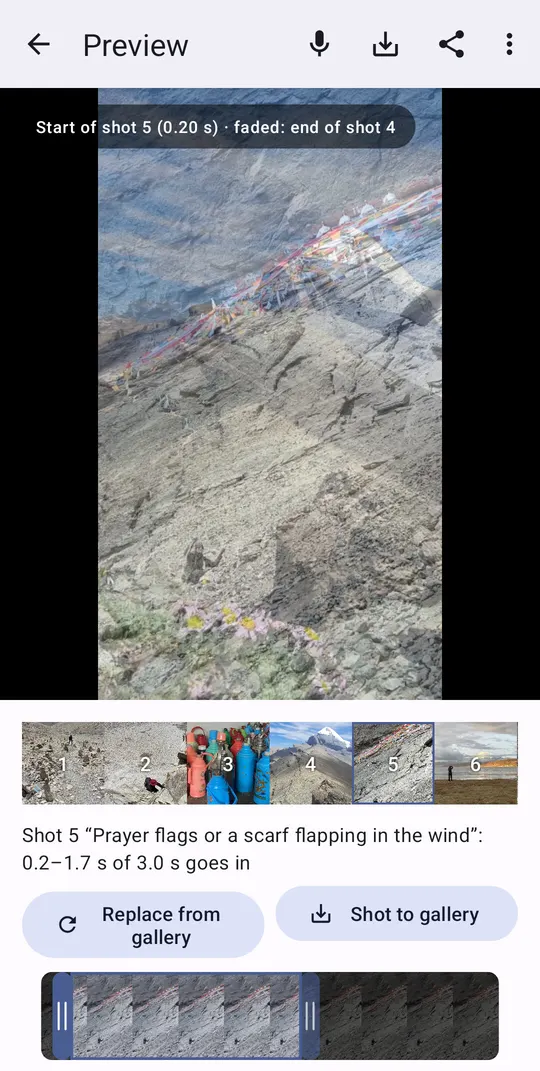
Plan, then film — instead of film, then edit
Phone editors like CapCut, Instagram Edits, InShot or VN start after the shoot: you bring clips and cut them. CamJam starts before it: the storyboard tells you what to film, and the edit is done while you film. They are not rivals for every job — here is when each fits.
- Android 7.0+ (64-bit) and iPhone with iOS 17+ — the same features on both.
- App in English, Español, Català and Русский.
- No Google Play on your phone? Download the APK (59 MB)
Works offline — in the mountains, underground, on a plane. No cloud, no tracking.
Side by side
| CamJam | Template in an editor (CapCut, Edits…) | Manual edit (InShot, VN…) | |
|---|---|---|---|
| When the edit happens | During filming | After filming | After filming |
| What you need first | Nothing — the recipe says what to film | Clips of the right length and number | All the footage |
| Cuts on the beat | Automatic, frame-accurate | Fixed by the template | By hand |
| Your own music | Beat, bars and the big moment found, storyboard written | Depends on the template | Yes, sync by hand |
| Advanced editing (text, effects, keyframes) | No — cuts, transitions, sound, voice-over | Yes | Yes |
| Changing a clip | Re-film or swap a shot; the window is trimmed to the slot | A clip of another length can desync the template | By hand |
| Account / watermark | No account, free; nothing over the video, the 2-second end card can be switched off | CapCut: account; Pro templates export with a watermark unless you pay. Edits: free, no watermark, Instagram account required | InShot: watermark on the free tier; VN: free |
| Works without internet | Yes, fully: filming, beat detection, editing | Often needs a connection (login, templates, cloud features) | Usually, for basic editing |
| Platforms | Android, iOS | Android, iOS | Android, iOS |
Competitor features and prices change often; this table reflects their free tiers as we understand them in October 2026. Corrections welcome: go@123automate.it.
What CamJam produces
| CamJam | |
|---|---|
| File | MP4, H.264 High profile; AAC 160 kbit/s, 44.1 kHz stereo |
| Resolution | 720×1280 (9:16) or 1280×720 (16:9); 1080×1920 with the “1080p video” setting |
| Frame rate | constant 30 fps (slow-motion and 24/25-fps gallery clips are conformed to it) |
| Colour | 8-bit 4:2:0, SDR, limited (TV) range. HDR or 10-bit clips from the gallery are converted without tone mapping and may look flat — film in SDR |
| Video bitrate | about 8 Mbit/s (16 at 1080p) with the phone's hardware encoder; software x264 CRF 23 as a fallback |
| Cut accuracy | Two separate numbers. Rounding: shot lengths are rounded to the 30-fps frame grid cumulatively, so a cut is never more than half a frame (17 ms) off the detected beat. Detection: on our test tracks the detected beat grid is within 1–3 ms of the hits for techno, 6–15 ms for studio pop and 30–36 ms for live drums. If the tempo is detected wrong, halve it or use an even, open recipe |
| Export | The finished video, or any single shot, to the gallery |
Values as of app version 1.0 (October 2026).
When to use which
CamJam
You haven't filmed yet and want a video cut to music today: a trip, a dish, an event, your track.
A template editor
You already have good clips and want a trending format with text and effects.
Quik, Beat.ly and other auto-editors
Beat sync from footage you already have — handy for a pile of old clips, but they can't tell you what to film.
A full editor
Long videos, subtitles, colour grading, multitrack — or polishing a CamJam export further.
See also
Guide
A practical guide: plan 12–16 shots, film each a little longer, vary close-ups and wides, put the strongest shot where the music hits. With or without CamJam.
Your own song
Musicians, DJs, creators: import your track, CamJam finds the tempo, bars and the drop (where the music hits hardest) and writes a storyboard. Film it — every cut lands on the beat.
Questions and answers
Can I edit a CamJam video further in CapCut or Edits?
Yes. The result is a regular MP4 in your gallery; add text, stickers or a trending sound in any editor.
Does CamJam replace a video editor?
For a beat-cut short from fresh footage — yes. For subtitles, effects or long videos — use it together with an editor.