 CamJam
For birthdays, weddings, sports days, matches
The party video is ready before the cake is gone
Family events end with 300 clips in the gallery and a promise to “edit it later”. With CamJam you film a few short moments by the hints on the screen — the table, the toast, the laugh, the candles — and a 30-second video set to music is ready to send to the family chat the same evening. Nothing to learn: the app tells you what to film and does the editing itself.
- Android 7.0+ (64-bit) and iPhone with iOS 17+ — the same features on both.
- App in English, Español, Català and Русский.
- No Google Play on your phone? Download the APK (59 MB)
Works offline — in the mountains, underground, on a plane. No cloud, no tracking.
Sound familiar?
“I'll edit it later” — and later never comes.
Later is not needed: the video is edited during the event.
You are a guest, not a camera operator: no time to think about shots.
The next hint is on the screen; one tap, a few seconds, back to the party.
The best moment happened before you started filming.
Put a gallery clip into any slot — it is trimmed and cut on the beat like the rest.
Your first 5 minutes
- Install and open CamJam. It opens straight on the camera with a ready recipe — “Lazy day at home”.
- Read the hint at the top — it says what to film next, for example “a cup on the table, up close”.
- Press the red button and hold the phone still until the countdown ends. Do this for a few shots; any shot can be filmed again.
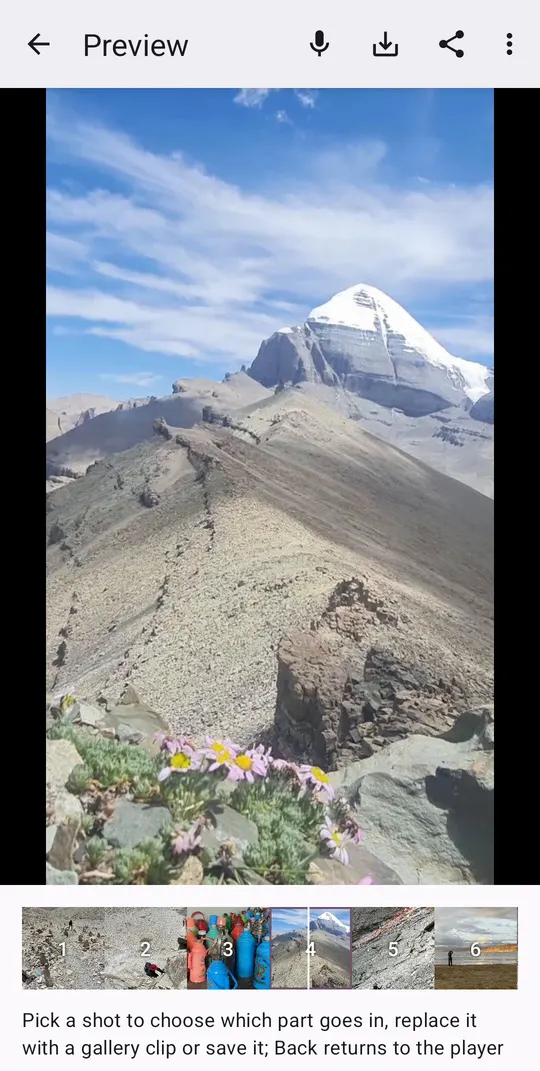
- Tap the little picture next to the button — the finished video plays with music. Press “Share” and choose WhatsApp.
Good recipes for events
School show
A school performance or a sports day to a cheerful toy-soldier march: arriving, getting ready, the big moment on stage or on the track where the music hits, cheering parents, applause, medals and hugs.
Birthday party
A birthday at home to a cheerful ukulele: the table, the cake, blowing out the candles, presents, laughter, the grandchildren — and everyone together at the end.
Wedding recap
The whole wedding day in half a minute to a warm love song with strings: rings and the ceremony, the couple walking out where the music hits, the first dance, toasts, the bouquet toss.
Family picnic
A family picnic in the park or the countryside to a sunny acoustic guitar beat: the blanket and the basket, kids running, everyone together where the drums come in, a toast, a game of catch and the sun going down.
Summer night party
A summer evening at a beach bar, a terrace or a garden party to a dreamy deep house groove: the lights coming on, drinks being made, friends dancing where the music hits, clinking glasses, hands in the air and the quiet sea or city at the end.
Game day
Sport and drive to hard rock: a match, a race, a workout, a skate park.
See also
Recipes
Free recipes for CamJam: a CC0 track plus a storyboard of 15–16 shots for trips, nature, food, events and sport. Install from the app, no update needed.
Travel videos
Turn a trip into a 30-second travel Reel while you travel: a storyboard of 16 shots, hints for each, cuts on the beat. Free app for Android and iPhone.
Guide
A practical guide: plan 12–16 shots, film each a little longer, vary close-ups and wides, put the strongest shot where the music hits. With or without CamJam.
Questions and answers
Can I send the video to WhatsApp?
Yes. In the preview press “Share” and choose WhatsApp, or save it to the gallery and send it from there.
Can I break something or end up paying?
No. The app is free, has no purchases and no account; any shot can be filmed again, and your own photos and videos are not touched.
Can I add a spoken message over the music?
Yes, right in the app. In the preview press “Record from here” and speak over the video — or redo just one piece; the music ducks under your voice. With headphones you hear the music while you record. A file from any voice recorder works too.
Will live sound be kept, like a toast or singing?
Yes, where the recipe asks for it, or on any shot you choose with a long press. The music is lowered under it.
Will it work on my old phone?
If Google Play lets you install it, it runs: CamJam needs Android 7.0 or newer with a 64-bit processor (most phones since 2017) and is about 41 MB. Shots are edited in the background no more than two at a time, so the camera keeps working on an inexpensive phone. iPhone: iOS 17 or newer — iPhone XS, XR and later, SE from the 2nd generation.